A Google Business Profile (GBP) is more than just an online business listing—it’s one of the most powerful tools for attracting local customers. Whether you run a coffee shop, law firm, plumbing business, salon, or online service that serves a specific area, an optimized Google Business Profile can help you appear in Google Search and Google Maps when potential customers are looking for what you offer.
However, simply creating a profile isn’t enough. Thousands of businesses verify their profiles but never optimize them, leaving valuable opportunities on the table.
If you’re wondering how to optimize your Google Business Profile, this guide walks you through the most effective practices to improve your visibility, build customer trust, and increase your chances of attracting more local leads.
Important: No one can guarantee a #1 ranking on Google. Google’s local search results are based on factors such as relevance, distance, and prominence. The strategies below help strengthen your profile, but rankings will always depend on your market and competition.
Why Google Business Profile Optimization Matters
Your Google Business Profile is often the first interaction customers have with your business.
A well-optimized profile can help you:
- Increase your visibility in Google Search and Google Maps.
- Build trust with potential customers.
- Generate more phone calls, website visits, and direction requests.
- Showcase your products and services.
- Improve your overall local SEO.
From my experience helping businesses improve their online presence, many owners create a profile and never touch it again. The businesses that consistently perform well usually treat their profile as an active marketing tool by keeping it accurate, complete, and up to date.
1. Complete Every Section of Your Profile
Google rewards complete profiles because they provide customers with more useful information.
Fill out every relevant field, including:
- Business name
- Primary category
- Secondary categories
- Address or service area
- Phone number
- Website
- Business hours
- Holiday hours
- Business description
- Services
- Products
- Attributes
- Opening date
An incomplete profile can make your business appear less trustworthy.
2. Choose the Right Business Categories
Your primary category is one of the strongest local ranking signals.
Choose the category that best represents your main business activity.
For example:
- Dentist
- Coffee Shop
- Roofing Contractor
- Auto Repair Shop
Then add secondary categories that accurately describe additional services you provide.
Avoid selecting unrelated categories simply because they have high search volume.
3. Write a Helpful Business Description
Your business description should explain:
- What your business does.
- Who you serve.
- What makes you different.
- Your experience or specialties.
Write naturally for customers rather than trying to force keywords into every sentence.
A clear, informative description helps visitors quickly understand your business.
4. Keep Your Contact Information Accurate
Double-check your:
- Phone number
- Website
- Address
- Service areas
Make sure the same information appears on your website and other online directories.
Consistency helps Google better understand your business and reduces customer confusion.
5. Upload High-Quality Photos
Photos can influence whether someone chooses your business over a competitor.
Consider uploading:
- Your logo
- Cover photo
- Exterior photos
- Interior photos
- Team photos
- Products
- Completed projects
- Equipment
- Vehicles (if applicable)
Use clear, well-lit images that accurately represent your business.
Adding fresh photos regularly shows customers that your business is active.
6. Encourage Genuine Customer Reviews
Reviews are one of the most influential parts of your Business Profile.
Ask satisfied customers to leave honest feedback about their experience.
Never:
- Buy reviews.
- Offer rewards in exchange for positive reviews.
- Ask employees to leave fake reviews.
Authentic reviews build trust and provide valuable information to future customers.
7. Respond to Every Review
Whether a review is positive or negative, take the time to respond professionally.
For positive reviews:
- Thank the customer.
- Mention the service they received if appropriate.
- Invite them back.
For negative reviews:
- Stay calm.
- Acknowledge their concerns.
- Offer to resolve the issue.
- Avoid arguments.
Professional responses demonstrate that you value customer feedback.
8. Add Your Products and Services
Don’t assume customers already know what you offer.
Use the Products and Services sections to explain:
- What you sell.
- What each service includes.
- Pricing (if appropriate).
- Photos.
- Short descriptions.
This helps customers make informed decisions before contacting you.
9. Publish Google Posts
Google Posts allow you to share:
- Promotions
- Company updates
- Events
- New products
- Seasonal offers
- Helpful tips
Although Google hasn’t confirmed that posts directly improve rankings, they keep your profile active and provide fresh information for customers.
Aim to post consistently rather than only during major promotions.
10. Keep Your Business Hours Updated
Incorrect business hours frustrate customers and can lead to missed opportunities.
Update your profile whenever your hours change, including:
- Public holidays
- Seasonal schedules
- Temporary closures
- Special events
Accurate hours improve the customer experience.
11. Answer Customer Questions
The Questions & Answers section is another opportunity to provide useful information.
Monitor this section regularly and respond promptly to customer questions.
If common questions arise, consider adding the answers proactively to help future visitors.
12. Monitor Your Performance
Use the Performance section of your Google Business Profile to understand how customers interact with your listing.
Review metrics such as:
- Search visibility
- Website clicks
- Phone calls
- Direction requests
These insights can help you identify what’s working and where improvements may be needed.
13. Keep Your Profile Active
One of the simplest optimization strategies is consistency.
Regularly:
- Upload new photos.
- Respond to reviews.
- Update services.
- Publish posts.
- Review business information.
- Check for customer questions.
An active profile sends positive signals to both customers and Google.
Common Google Business Profile Optimization Mistakes
Avoid these common errors:
- Choosing the wrong business category.
- Leaving important sections blank.
- Using low-quality photos.
- Ignoring customer reviews.
- Keyword stuffing your business name.
- Creating duplicate profiles.
- Allowing outdated information to remain on your profile.
- Forgetting to update holiday hours.
Small mistakes can affect both customer trust and your profile’s performance.
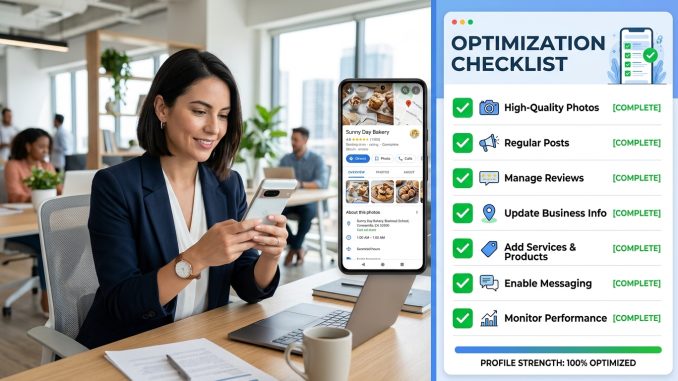
My Optimization Checklist
Whenever I review a Google Business Profile, I make sure these essentials are covered:
✔ Profile is fully completed
✔ Correct primary and secondary categories
✔ Accurate contact information
✔ Consistent business details across the web
✔ High-quality logo and cover photo
✔ Professional business description
✔ Products and services added
✔ Recent photos uploaded
✔ Reviews monitored and answered
✔ Business hours updated
✔ Google Posts published regularly
✔ Performance checked monthly
Treat this checklist as part of your ongoing marketing routine—not a one-time task.
Frequently Asked Questions
How long does it take to see results?
There is no guaranteed timeline. Some improvements, such as profile completeness, can benefit customers immediately, while changes in local search visibility may take weeks or months depending on your competition and market.
Do Google Posts improve rankings?
Google hasn’t confirmed that Google Posts are a direct ranking factor. However, they help keep your profile fresh and provide useful information for potential customers.
How many photos should I upload?
There is no required number, but businesses with a variety of high-quality, up-to-date photos generally provide a better customer experience than those with only a few images.
How often should I update my profile?
Review your Business Profile at least once a month and update it whenever your business information changes.
Final Thoughts
Optimizing your Google Business Profile isn’t about finding shortcuts or trying to “game” Google’s algorithm. It’s about giving both Google and your potential customers the most accurate, complete, and helpful information about your business.
A well-optimized profile combines accurate business details, the right categories, quality photos, genuine customer reviews, regular updates, and a commitment to providing a great customer experience.
The businesses that consistently perform well in local search are often the ones that treat their Google Business Profile as a living marketing asset. By investing a little time each month to keep your profile fresh and informative, you’ll put your business in a stronger position to attract local customers and grow over the long term.
Leave a Reply